by Christopher S. | Aug 1, 2026 | App Store Optimization |
Mobile Action and SplitMetrics show up on nearly every “best ASO tools” list together, often in the same sentence, as if they solve the same problem. They don’t. Once you dig past the marketing pages, Mobile Action vs SplitMetrics turns out to be a comparison between a broad ASO and Apple Search Ads intelligence suite on one side, and a tool built specifically around on-page conversion experiments on the other.
That distinction matters if you’re trying to decide which one is actually worth paying for. If your real question is “which tool will help me A/B test my screenshots and icon,” the honest answer is that only one of these platforms was built to do that job well.
What Mobile Action Offers Beyond A/B Testing
Mobile Action’s core product is a broad ASO and market intelligence platform: keyword tracking, competitor research, Apple Search Ads management through its SearchAds.com product, and category-level market data spanning a large portfolio of tracked apps. It’s positioned as an all-in-one growth workspace for teams that want organic ASO data and paid Apple Ads management under one roof.
What Mobile Action does not specialize in is structured, statistically rigorous A/B testing of store-listing creative — screenshots, icons, preview videos — against each other. Its strength is data and keyword intelligence feeding your ASO decisions, not running controlled experiments to validate which screenshot variant converts better.
What SplitMetrics Specializes In
SplitMetrics was built from the ground up as an A/B testing platform for app store product pages, and that focus still defines the product today. Its testing tool replicates the App Store or Google Play listing experience, routes real traffic to different variants, and reports on-page behavior — scroll depth, screenshot view time, tap-through rate — down to a granular level most general ASO tools don’t attempt to measure.
This is the tool built to answer a specific question: does variant A of your icon, screenshot set, or preview video convert better than variant B, with enough statistical confidence to trust the result. SplitMetrics also offers broader ASO services and Apple Ads optimization, but its reputation and core product identity are built around experimentation.
Mobile Action vs SplitMetrics: Testing Methodology Differences
Because Mobile Action isn’t a dedicated testing platform, teams using it for creative decisions generally rely on native App Store Connect or Google Play Console experiments, then use Mobile Action’s keyword and competitor data to decide what to test in the first place. That’s a reasonable workflow, but it means the actual experiment runs on a different platform than where your ASO research happens.
SplitMetrics keeps research and experimentation closer together. It supports both native store experiments and its own off-store testing environment, which lets you validate creative changes without exposing test variants to real users on your live listing — useful when you don’t want to risk your current conversion rate while a test is running.
Which Metrics Each Platform Prioritizes
Mobile Action’s dashboards emphasize keyword visibility, ranking movement, competitor benchmarking, and Apple Search Ads performance — metrics tied to discoverability and paid acquisition efficiency rather than on-page conversion mechanics.
SplitMetrics prioritizes conversion-focused, behavioral metrics: tap-through rate, install rate, time spent on each creative asset, and statistical significance of a given test result. If your team’s biggest question is “why do people bounce after seeing our screenshots,” SplitMetrics is measuring exactly that. If your bigger question is “which keywords are we losing ground on,” Mobile Action is the better-suited tool.
Pricing and Who Each Tool Is Built For
Both platforms operate primarily on custom, quote-based pricing rather than published self-serve rate cards, which makes direct cost comparison difficult without requesting quotes from each. Mobile Action’s plans scale around keyword volume, tracked apps, and Apple Search Ads spend under management, making it a natural fit for teams already running or planning to run Apple Search Ads campaigns alongside organic ASO work.
SplitMetrics’ pricing scales more around testing volume and traffic — how many experiments you’re running and how much traffic you need routed through them — which suits teams with enough App Store or Play Store traffic to reach statistically significant results within a reasonable timeframe. Very low-traffic apps may struggle to get meaningful results from any A/B testing platform, SplitMetrics included, simply due to sample size.
Choosing Based on Your Testing Volume
Occasional Testers
If you’re updating your listing creative once or twice a year and don’t have the traffic volume to run frequent experiments, Mobile Action’s broader ASO and keyword tooling likely delivers more day-to-day value than a dedicated testing platform you’d rarely use to its full capacity.
Frequent Iterators
If your app has enough daily store traffic to run meaningful experiments monthly or more often, and creative conversion rate is a genuine growth lever for your business, SplitMetrics’ purpose-built testing environment will get you cleaner, faster answers than relying on native store experimentation tools alone.
Agencies and Multi-App Portfolios
Teams managing several apps at once often end up needing both tools for different reasons rather than choosing one over the other. Mobile Action’s portfolio-level keyword and competitor tracking scales naturally across dozens of apps under one workspace, which single-app testing tools generally aren’t designed to handle. SplitMetrics still earns its place for any individual app in that portfolio with enough traffic to justify running its own dedicated creative experiments, even if the broader ASO monitoring happens elsewhere.
Reporting and Team Collaboration
How each platform presents results matters almost as much as the data itself, especially if you need to justify a creative decision to a founder, a client, or a design team that disagrees with the outcome. This is another place Mobile Action vs SplitMetrics diverges by design rather than by quality — the two tools are built around different reporting rhythms entirely. Mobile Action’s reporting leans toward dashboards built for ongoing monitoring — keyword position trends, competitor movement alerts, and Apple Search Ads spend efficiency over time — designed to be checked regularly rather than concluded with a single verdict.
SplitMetrics’ reporting is built around a different rhythm: a test starts, runs until it reaches statistical significance or a set traffic threshold, and concludes with a clear result showing which variant won and by how much. That format tends to work better for teams that need a defensible answer to bring back to stakeholders — “variant B increased tap-through rate by 14%, with 95% confidence” is a much easier sentence to act on than a general trend line.
Neither approach is objectively better; they’re suited to different kinds of decisions. Ongoing ASO monitoring benefits from Mobile Action’s trend-based dashboards, while one-off creative decisions benefit from SplitMetrics’ test-and-conclude structure.
What A/B Testing Tools Don’t Replace
Neither platform tells you what to test in the first place. Deciding whether to test your icon, your first screenshot, or your app preview video requires a hypothesis grounded in competitor research, user feedback, and category norms — the strategic layer that sits above any testing tool, regardless of which one you choose.
Getting Expert Help with Store Listing Testing
Whether you land on Mobile Action, SplitMetrics, or decide your traffic volume doesn’t yet justify either, the value of A/B testing depends entirely on testing the right hypothesis first. Our App Store Optimization services include exactly this kind of prioritization — deciding what’s actually worth testing on your listing before you spend budget or traffic validating the wrong assumption.
If you’re not sure your app has enough traffic to make A/B testing worthwhile yet, get a free ASO audit for your app and we’ll give you an honest read on where your listing’s biggest conversion gaps actually are. You can also compare our managed growth packages, read more about our team, or reach out through our contact page if you’d like help designing and prioritizing your first round of listing experiments.
Frequently Asked Questions
Does Mobile Action actually offer A/B testing at all?
Mobile Action’s core strengths are keyword intelligence, competitor research, and Apple Search Ads management rather than dedicated on-page A/B testing. Teams using Mobile Action for research typically run their actual experiments through native App Store Connect or Google Play Console tools.
How much store traffic do I need before SplitMetrics-style A/B testing is worthwhile?
There’s no universal number, since it depends on your current conversion rate and how large a difference you’re trying to detect, but very low-traffic apps often need several weeks to reach statistical significance on even a simple test. An ASO audit can help estimate whether your current traffic makes testing practical yet.
Can I use Mobile Action and SplitMetrics together?
Yes, and it’s a reasonably common setup — Mobile Action for keyword research, competitor tracking, and Apple Search Ads management, SplitMetrics for validating creative changes before rolling them out to your live listing.
What should I test first if I’ve never run a store-listing A/B test before?
Start with your first screenshot or your icon, since these tend to have the largest individual impact on conversion rate and are the elements most users see before deciding whether to keep scrolling or tap install. Save smaller elements, like description copy or secondary screenshots, for later rounds once you’ve validated the bigger creative decisions.
by Christopher S. | Jul 30, 2026 | App Store Optimization |
Every indie developer researching ASO tools eventually runs into the same two names: AppFollow and Sensor Tower. Both show up in nearly identical “best ASO tools” roundups, both get name-dropped by agencies, and both claim to help you rank higher and understand your competitors better. What those roundups rarely explain is that these two platforms aren’t really built for the same buyer.
This comparison looks at what each tool actually does well, how their pricing philosophy differs, and — more usefully — which one fits which stage of app growth. If you’re trying to decide between AppFollow vs Sensor Tower for your own app, the honest answer depends heavily on your budget and what problem you’re actually trying to solve.
What AppFollow Does Best
AppFollow started as a review management platform and has expanded from there into a broader ASO and reputation-management suite. Its core strength is still visible in that history: review aggregation across every major app store, AI-assisted reply automation, and sentiment tracking that flags problems before they tank your rating.
On the ASO side, AppFollow offers keyword tracking, competitor keyword discovery, and organic-versus-paid traffic breakdowns, aimed at teams that want practical, actionable ASO data without needing a dedicated analyst to interpret it. The interface leans toward being usable by a solo developer or a small marketing team managing several apps at once, rather than requiring a specialized research function.
What Sensor Tower Does Best
Sensor Tower is a much broader mobile intelligence platform, and ASO is only one module within it. Alongside store and keyword data, it offers advertising intelligence (tracking competitor ad creatives and spend), audience intelligence, and market-level trend data spanning millions of apps across dozens of countries.
This breadth is Sensor Tower’s real differentiator. Few ASO-focused tools attempt to show you what a competitor is spending on paid user acquisition or how their ad creative has evolved over time. For teams doing serious competitive intelligence work — not just tracking their own keyword rankings — that’s a genuinely useful capability AppFollow doesn’t attempt to match.
AppFollow vs Sensor Tower: Pricing Philosophy
This is where the two platforms diverge most sharply, and it’s the single biggest factor indie developers should weigh before choosing either one. AppFollow publishes accessible plans, including a free trial and entry-level tiers designed for individual developers and small teams managing a handful of apps.
Sensor Tower, by contrast, does not publish standard list pricing at all. It operates primarily on a custom, quote-based model built around which modules you license, how many markets and categories you need data for, and how many seats your team requires. Third-party procurement reports consistently describe Sensor Tower contracts running well into five figures annually for smaller deployments, with enterprise packages costing substantially more — a scale built for funded teams and large publishers, not a solo developer testing a first app.
Keyword Research and ASO Features Compared
Both platforms offer keyword tracking, rank monitoring, and competitor keyword discovery, and both update this data regularly enough to be useful for day-to-day ASO decisions. The practical difference shows up in depth versus focus.
AppFollow’s keyword and ASO tools are built to be immediately actionable — you can see what’s working, what’s declining, and what a competitor just changed, without digging through a dozen dashboards to get there. Sensor Tower’s App Intelligence module covers similar ground but sits inside a much larger data platform, which means more context is available if you need it, but also more surface area to learn before it becomes genuinely useful day to day.
Review and Reputation Management Compared
AppFollow clearly wins this category. Review aggregation, AI-assisted response drafting, and sentiment-spike alerts are core to the product, not an add-on. Teams managing high review volume — particularly mobile games with large player bases — consistently cite this as the reason they adopted AppFollow in the first place.
Sensor Tower includes review-related data as part of its broader App Intelligence module, but it isn’t the platform’s primary focus, and dedicated reply-automation tooling isn’t part of its core pitch the way it is for AppFollow.
Which Platform Fits Which Budget Tier
Solo and Indie Developers
AppFollow is almost always the more practical starting point. Its entry-level pricing structure, faster learning curve, and strong review-management tooling address the two things a solo developer usually needs most: knowing what to fix in your listing, and staying on top of user feedback without hiring a support team.
Small Studios and Growing Apps
This is where the decision gets genuinely situational. If your main challenge is managing review volume and iterating on ASO across a small portfolio of apps, AppFollow’s mid-tier plans usually cover it. If you’re starting to care about what competitors are spending on paid acquisition and how their strategy is shifting, Sensor Tower’s advertising intelligence becomes harder to justify skipping, even at a higher price point.
Funded Startups and Enterprise Teams
At this stage, budget is rarely the limiting factor, and the two tools often coexist rather than compete. Many larger teams run AppFollow (or a similar tool) for day-to-day ASO and review management, while licensing Sensor Tower specifically for its market intelligence and ad-spend tracking, which neither AppFollow nor most dedicated ASO tools attempt to replicate.
Data Accuracy and Update Frequency
Both tools pull from official app store APIs where possible and model the rest, but AppFollow vs Sensor Tower also differ in how fast that data reaches you and how it’s presented. AppFollow tends to refresh keyword rankings and review data on a tighter daily cycle, which matters most for smaller apps making frequent listing tweaks and wanting to see the impact quickly.
Sensor Tower’s broader intelligence modules, particularly download and revenue estimates, rely more heavily on modeled data rather than confirmed store figures, since app stores don’t publicly disclose exact download numbers. These estimates are widely cited across the industry and are generally directionally reliable for large apps with substantial data history, but tend to be less precise for smaller or newer apps with limited signal to model from. Worth knowing before treating either platform’s numbers as exact rather than estimated.
What Neither Tool Replaces
Both platforms give you data. Neither one tells you what to actually do with it, and neither writes your app store listing, designs your screenshots, or decides your keyword strategy for you. Tool subscriptions and expert strategy solve different problems, and conflating the two is a common reason ASO budgets underperform even when the underlying tool is a good one.
Onboarding and Learning Curve
A tool you never fully learn to use isn’t worth its subscription price, regardless of how the AppFollow vs Sensor Tower feature comparison looks on paper. AppFollow’s interface is designed to get a small team productive within a day or two — connect your app, and keyword and review data start populating dashboards almost immediately, with minimal configuration required.
Sensor Tower’s onboarding typically involves more setup, partly because there’s simply more platform to configure across its various intelligence modules, and partly because its enterprise sales process usually includes guided onboarding calls rather than pure self-serve setup. For a solo developer wanting to get moving the same afternoon, that’s a meaningful practical difference, even before pricing enters the conversation.
Getting Expert Help Choosing (and Using) an ASO Tool
Whether you land on AppFollow, Sensor Tower, or decide neither is worth the subscription cost yet, the data these platforms surface is only as useful as the strategy behind it. Our App Store Optimization services are built around interpreting exactly this kind of data — keyword gaps, competitor movement, review sentiment — and turning it into listing changes that actually move rankings.
If you’re not sure whether you need a paid ASO tool at all yet, get a free ASO audit for your app first — we’ll tell you honestly whether your current gaps are things a tool subscription would even help with. You can also compare our managed growth packages, read more about our approach, or reach out through our contact page if you’d rather have a team handle ASO strategy end to end.
Frequently Asked Questions
Is AppFollow or Sensor Tower better for a first-time app launch?
AppFollow, in almost every case. Its pricing and learning curve fit a first launch far better, and review management matters most in the early months when every piece of user feedback is still rare and valuable.
Can I use both AppFollow and Sensor Tower at the same time?
Yes, and larger teams often do, since they solve different problems — AppFollow for day-to-day ASO and review management, Sensor Tower for broader market and ad-spend intelligence. It’s rarely worth paying for both until your team and budget have outgrown a single tool.
Do I need either tool if I’m working with an ASO agency?
Not necessarily. A good agency typically has its own access to this kind of data, or can tell you specifically which tool would add value beyond what strategy work already covers. Ask before buying a separate subscription on top of an existing engagement.
by Christopher S. | Dec 12, 2024 | Blogs, Mobile App Development |
Introduction
So, you’ve developed your first app, and now you’re ready to share it with the world. But where do you start? Welcome to the Play Store Console —a tool that bridges the gap between your app and millions of potential users.
The Play Store Console is essential for Android developers, allowing you to upload, manage, and analyze your apps. Whether you’re a beginner or an experienced developer, this guide will help you master every aspect of the Play Store Console.
Setting Up Your Developer Account
Prerequisites for Creating an Account
Before you dive in, you’ll need a few things:
- A Google account.
- A one-time developer registration fee of $25.
- Basic information like your name, email, and payment details.
Step-by-Step Guide to Signing Up
- Visit the Google Play Console.
- Sign in with your Google account.
- Fill in the required details, including developer name and email.
- Pay the registration fee via a valid payment method.
- Complete the verification process by submitting your ID if required.
Navigating the Play Store Console Interface
Overview of the Dashboard
The dashboard is your command center. It provides an overview of your apps, their status, and performance metrics.
Key Sections and Their Functionalities
- Dashboard: Quick stats and alerts.
- App Management: Tools for uploading and managing apps.
- Monetization: Pricing, in-app purchases, and subscriptions.
- Reports: Detailed analytics on downloads, crashes, and user engagement.
Preparing Your App for Launch
Setting Up Your App
Start by clicking the “Create App” button on the dashboard. Enter the app’s name, select its default language, and choose whether it’s a game or a regular app.
Adding App Details
Your app’s description, images, and videos make the first impression.
- Use engaging language in your description.
- Add high-quality screenshots and an attractive app icon.
Uploading Your App
Preparing Your APK/AAB File
Your app file must be in either APK or AAB format. Test it thoroughly using tools like Android Studio to ensure compatibility with all devices.
Uploading and Reviewing Your App
Click on “App Releases,” choose a release type (internal, beta, or production), and upload your file. Address any warnings or errors before proceeding.
Managing Store Listings
Crafting an Appealing Listing
Catchy titles and clear descriptions are key to attracting users. Ensure your app’s visuals stand out.
Using Keywords for ASO
Research and include keywords that potential users might search for. Tools like Google Keyword Planner can help.
Setting App Pricing and Distribution
Decide whether your app will be free or paid. Choose regions where your app will be available.
Testing Your App
Set up testing tracks for internal and external testers. Their feedback will help refine your app before launch.
Publishing Your App
Review all the details, ensure compliance with Play Store policies, and submit your app for review. The process usually takes a few days.
Analyzing App Performance
Using Analytics Tools
Track downloads, user demographics, and crash reports to understand how your app is performing.
Managing User Feedback
Respond to reviews promptly and take feedback seriously—it’s the key to improvement.
Updating and Maintaining Your App
Regular updates keep your app relevant. Test new features before releasing updates to avoid bugs.
Troubleshooting Common Issues
From upload errors to policy violations, familiarize yourself with common issues and how to resolve them. The Google Play Help Center is a great resource.
Conclusion
Congratulations! You’re now equipped to navigate the Play Store Console like a pro. Remember, mastering the console is an ongoing process. Keep exploring, experimenting, and learning.
FAQs
1.What is the Play Store Console?
The Play Store Console is a platform that allows developers to upload, manage, and analyze their Android apps.
2.How much does it cost to publish an app on the Play Store?
A one-time registration fee of $25 is required.
3.Can I update my app after publishing?
Yes, you can submit updates anytime.
4.How long does the app review process take?
It typically takes 3-7 days, but it can vary.
5.Is it possible to unpublish an app temporarily?
Yes, you can unpublish your app and make it unavailable to new users.
by Christopher S. | Nov 7, 2024 | App Store Optimization, Blogs |
Introduction About Top ASO Tools
With the sheer volume of apps available in 2024, standing out in the app stores has never been more challenging. This is where App Store Optimization (ASO) comes into play. ASO is like SEO for apps, aiming to improve app visibility, attract more downloads, and ultimately secure app success in a crowded market. Let’s dive into the top ASO tools that can help you make a powerful impact in the app store.
What is ASO and Why is it Crucial?
ASO encompasses strategies and techniques to improve app ranking in search results within app stores. A good ASO strategy focuses on optimizing keywords, app descriptions, visuals, and user feedback to boost visibility and download rates.
Factors Influencing ASO
Several factors drive ASO success, and understanding them helps in selecting the right ASO tools:
- Keywords and Metadata: Proper keyword usage in titles and descriptions ensures your app appears in relevant searches.
- User Reviews and Ratings: High ratings improve visibility and encourage downloads.
- Visuals and User Experience: Screenshots, videos, and app icons significantly impact conversion rates.
Top ASO Tools to Use in 2024
To achieve the best results, here’s a curated list of the top ASO tools designed to meet various ASO needs.
#1: AppTweak
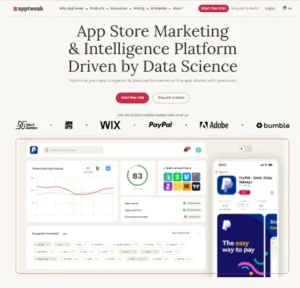
Key Features: AppTweak provides data-driven insights on keywords, ad intelligence, and ASO performance across app stores.
Pros: Known for its robust keyword research features and user-friendly interface.
Cons: Pricing might be a bit high for smaller developers.
Website URL: www.apptweak.com
#2: Sensor Tower
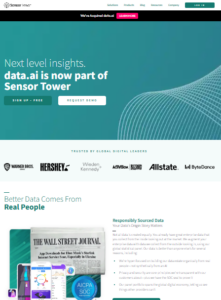
Key Features: Sensor Tower specializes in competitive analysis, giving insights into how your app stacks up against competitors.
Pros: Exceptional for tracking competitor performance and identifying emerging trends.
Cons: Not as focused on keyword discovery for beginners.
Website URL: www.sensortower.com
#3: AppFollow
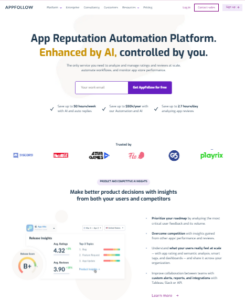
Key Features: AppFollow emphasizes tracking user feedback, helping you respond to reviews and ratings efficiently.
Pros: Great for maintaining a positive user rating, which can boost visibility.
Cons: Limited in keyword optimization tools compared to others.
Website URL: www.appdollow.io
#4: Mobile Action
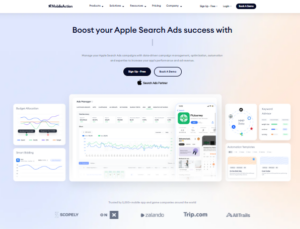
Key Features: Known for its unique advertising insights, Mobile Action is excellent for those looking to integrate ASO with paid marketing.
Pros: Combines ASO with ad insights, making it ideal for a holistic approach.
Cons: Some features are limited in the free version.
Website URL: www.mobileaction.co
#5: TheTool
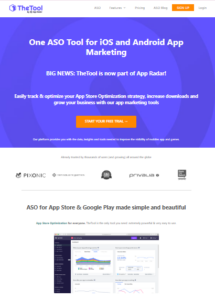
Key Features: TheTool’s intuitive dashboard allows you to monitor all ASO metrics in one place.
Pros: Perfect for beginners due to its ease of use and visual representation of ASO metrics.
Cons: Lacks advanced features required by more experienced ASO professionals.
Website URL: www.thetool.io
#6: ASOdesk
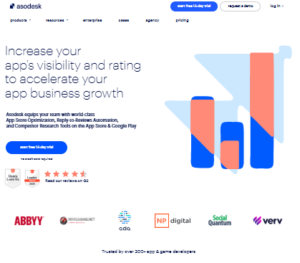
Key Features: ASOdesk stands out for its ability to generate keyword suggestions tailored to your app’s niche.
Pros: Ideal for keyword discovery, especially for niche apps.
Cons: Limited in tracking visual assets compared to other tools.
Website URL: www.asodesk.com
#7: Keyword Tool
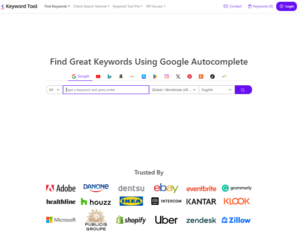
Key Features: Keyword Tool focuses on keyword discovery and tracking, which is central to improving app search rankings.
Pros: Excellent for those focused primarily on keyword optimization.
Cons: Limited in competitive insights.
Website URL: www.keywordtool.io
Comparing Paid vs. Free ASO Tools
Free ASO tools can be great for startups with limited budgets, but paid tools often provide additional features, such as competitor analysis and ad insights. For scaling businesses, investing in a paid tool can deliver valuable, in-depth data that free tools may not offer.
How to Choose the Top ASO Tool for Your Needs
When selecting an ASO tool, consider your budget, primary goals (keywords, reviews, or competitive analysis), and the app’s current market position. For instance, a new app may prioritize tools focused on keywords, while a seasoned app may focus more on competitive analysis.
Best Practices for Using ASO Tools
- Regularly Update Keywords: App trends shift often; updating keywords monthly can help maintain relevance.
- Engage with User Feedback: Responding to reviews, especially negative ones, can improve ratings.
- Track Competitors: Monitoring competitor strategies can reveal gaps or new opportunities for optimization.
Conclusion
In today’s competitive app market, having the Top ASO tools can make all the difference between getting noticed and getting lost. By leveraging top tools like AppTweak, Sensor Tower, and Mobile Action, app developers can optimize keywords, monitor competitors, and engage users effectively, driving more downloads and engagement.
To further enhance your app’s reach and success, consider partnering with App Marketing Plus. As a dedicated app marketing agency, App Marketing Plus specializes in boosting app visibility, user acquisition, and downloads through advanced ASO strategies tailored to your app’s unique needs. From keyword optimization to conversion-focused advertising, we provide everything you need to stand out in the app store. Ready to make your app shine? Visit App Marketing Plus today and start maximizing your app’s potential!
FAQs
1. What is the Top ASO tool for beginners?
For beginners, tools like The Tool and AppTweak are great due to their user-friendly interfaces and essential ASO features.
2. How often should I update my ASO strategy?
Ideally, update your ASO strategy every 30-60 days to align with trends and maintain keyword relevance.
3. Can Top ASO tools replace an ASO specialist?
No, while ASO tools are powerful, they complement rather than replace the expertise and strategy of a specialist.
4. What’s the average cost of Top ASO tools?
Prices vary widely, from free to several hundred dollars per month depending on the features and capabilities.
5. Do ASO tools work for both iOS and Android?
Yes, most ASO tools offer support for both iOS and Android platforms, but it’s wise to confirm compatibility.
by wp-admin | Mar 25, 2014 | Blogs |
There are many different tools that a budding mobile developer can use to optimize their app for greater visibility and higher rankings. These are called ASO tools (App Store Optimization) and it can be difficult to choose the best one for you because there is such a wide variety of them. Below is a list of best ASO tools that are available.
App Radar – App Marketing Software – $2 / Day
 App Radar is an online tool that helps app developers understand and optimize their app store appearance. It comes with useful keyword tracking & research functionality and is the first tool that lets them publish and manage app store listings for both Google Play & Apple App Store in one place. Thus app owners can unleash the full potential of their app and boost downloads.
MobileDev HQ – $0-$350/month
 An ASO toolset for developers that helps developers better understand the current ASO landscape. These tools can be used to find out what keywords to use, what keywords competitors are using, app titles, app description, and other choices that can impact an app’s rankings. MobileDev HQ boasts an average of 20% increase in downloads and includes a calculator on their website to see how much more money developers can make by using their toolset.
SearchMan – $25/app/month
 This powerful ASO helps track search rankings, analyze keywords, compete for rankings, and optimize their apps. Unlike most ASO tools, SearchMan charges the developer per application. This is important to app developers who are not very well-known yet and only have one or two apps out on the app store.
AppCodes – $14.95/month
 One of the cheapest ASO tools, Appcodes is geared towards indie developers. While Appcodes may not offer all the funcationality of some of the other ASO tools out there, it is inexpensive for what it does. In case a developer is hesitant about what it can do, Appcodes offers a demo account to show off its abilities.
Sensor Tower/AppStoreRankings – $59-$299/month
 More commonly known as Sensor Tower, the company claims that over 25,000 companies use it. Its review analysis gives you a detailed breakdown of the customers and can identify what your audience’s concerns are with your app. This analysis is important to any developer that wants to get that exclusive 5 star rating.
AppRankCorner – FREE / $ 19.95 – 299.95 / Month
 AppRankCorner specially designed for app developers and indie app developers in mind. The web app helps you to track your apps in all categories and countries, keep in touch with your keywords ranking, optimize them all. The service also features elaborate keywords suggestions. When developer connect their iTunes Connect account, they can visualize all their apps downloads and revenue in one tool!